

Wardrobe & Fashion
The account-wide wardrobe. Fashion is free to wear, weapon looks cost Penya, and masks count as fashion.
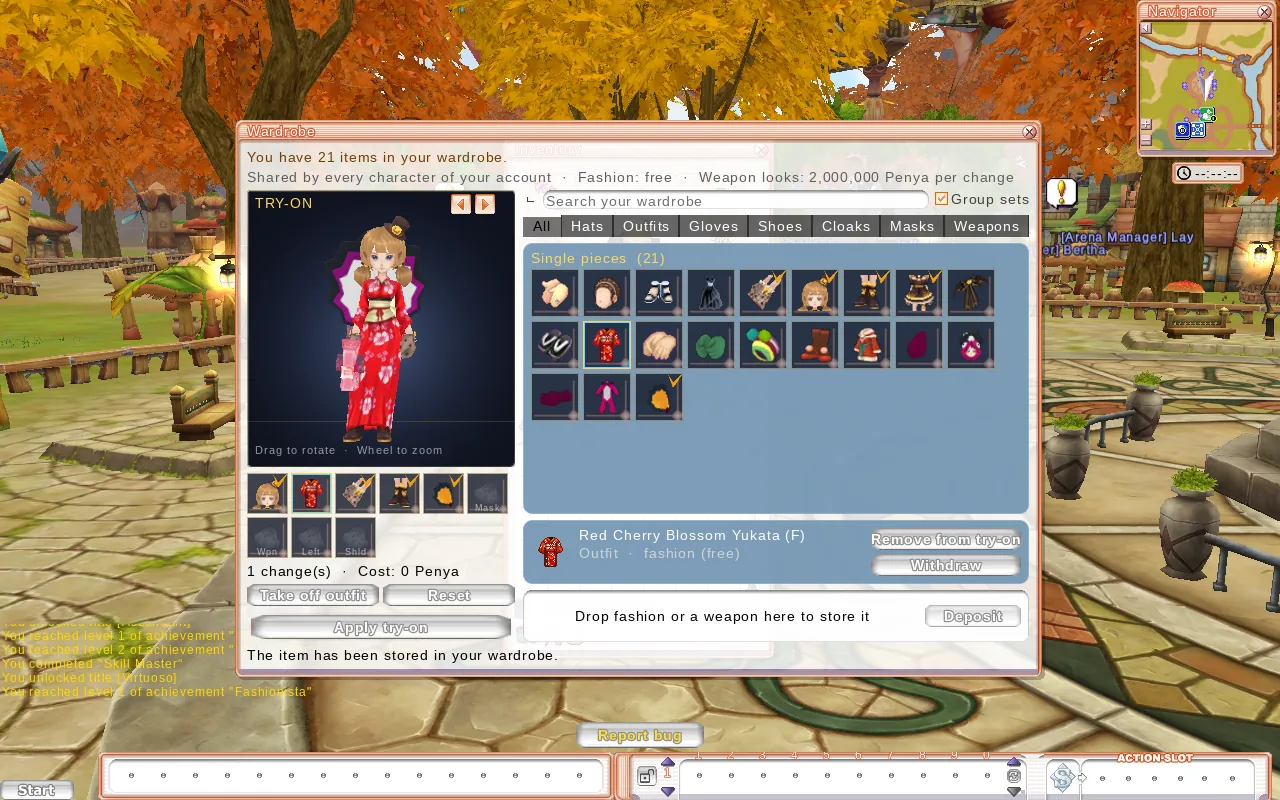
The Wardrobe keeps all your fashion in one place, and every character on your account can use it. It's an Aerlore feature, a mix of a Fitting Room and Item Transmutation.
Opening it
- Start → Wardrobe, or
- double-click a fashion item in your bag, or
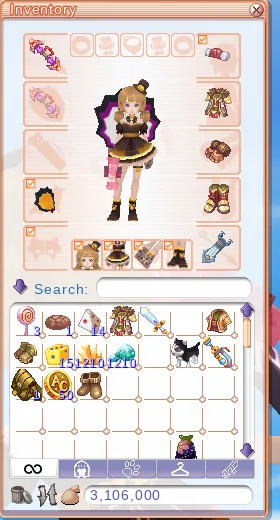
- double-click (or drag) a fashion slot in your Inventory.
What goes in
- Fashion: hats, outfits, gloves, shoes, cloaks and masks (in Aerlore, masks are fashion).
- Weapons, for weapon looks.
- Not armour. Use fashion to change how your armour looks.
Each item is stored once per account, and every character on that account (on that server) can use it.
Using it
- Store: drag an item into the deposit area, or double-click fashion in your bag. Store & wear does both in one step.
- Wear fashion: free. Pick pieces from the list and apply them.
- Weapon looks: 2,000,000 Penya per change (also to remove one). A look has to match the type and handedness of the weapon you're holding. It's only cosmetic. Your real weapon's stats are used every time.
- Try on: the preview on the left shows your character. Drag to rotate, scroll to zoom. Queue several changes, check the cost, then apply them together.
- Withdraw: gives the exact item back as a normal item, with its upgrade, options and sockets. It's removed from the whole account, so the wardrobe asks you to confirm first and lists which looks your characters will lose.
Items with a time limit can't be stored.
Fashion in Aerlore
- No level requirement and no rarity on fashion, so anyone can wear anything.
- Hide what you don't like: the Inventory has checkboxes to hide your mask, cloak, hat, outfit, gloves, shoes or helmet. Other players see that too.
Where fashion comes from
- Item Shop: sets that rotate every week.
- Aerlore Coin merchants: fashion sets from the Original, for coins.
- Trading with other players. Fashion you take out of the wardrobe can be traded like any other item, unless it's bound.