

Maps & Travel
The world map, map marks, teleporters with level gates, Blinkwings, free islands and finding shops on the map.
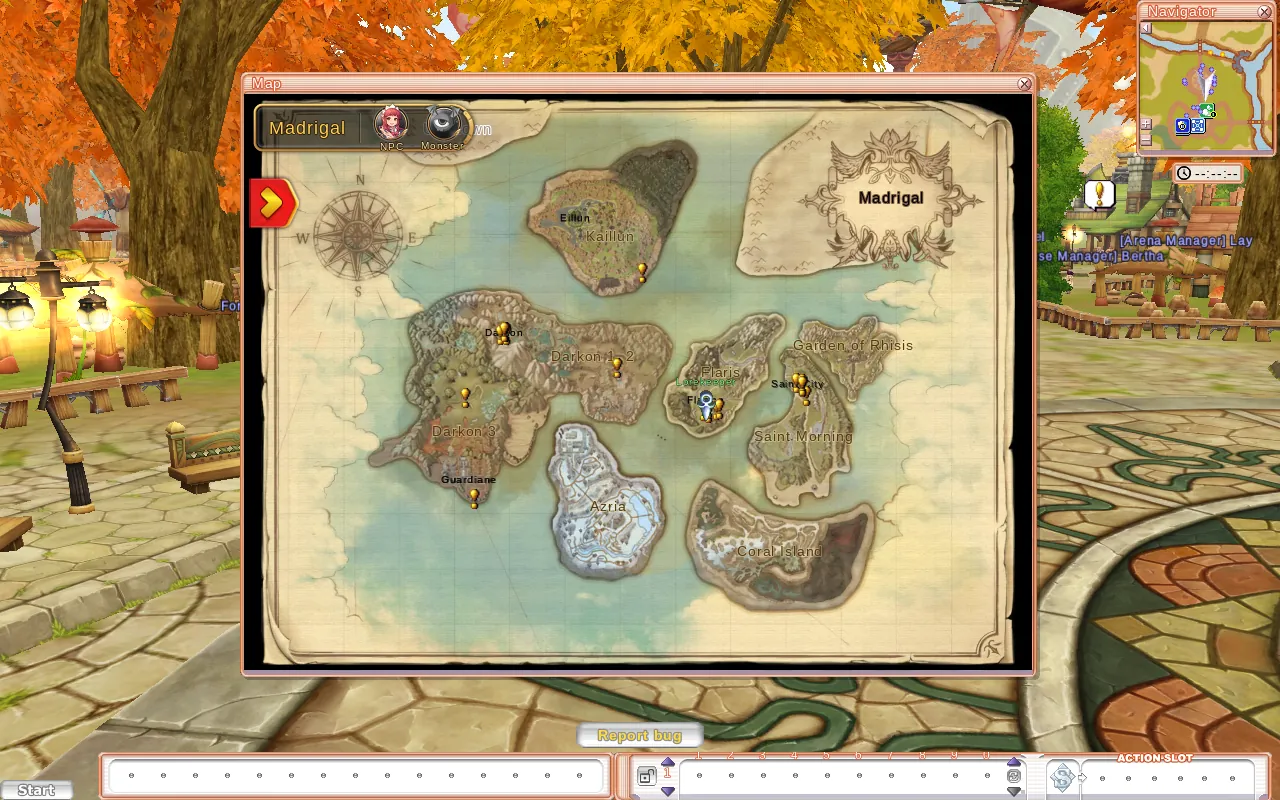
The world
Aerlore has the full continent of Madrigal (Flarine, Saint Morning, Darken, Eillun and everything in between). It also has Azria and Coral Island, which are bigger than their Original versions, plus Traseia and Dark Traseia.
Aerlore vs the Original: Azria, Coral Island, Traseia and Dark Traseia are free to enter. You don't need a ticket.
World map (M)
- Scroll to zoom (1× to 4×). Use the crumbs at the top (for example Madrigal › Flaris) to move between levels.
- The map shows monster areas, quest markers, your tracked quest goal and party members.
- Add Mark places your own markers, up to 20.
- Azria and Coral Island have their own maps.
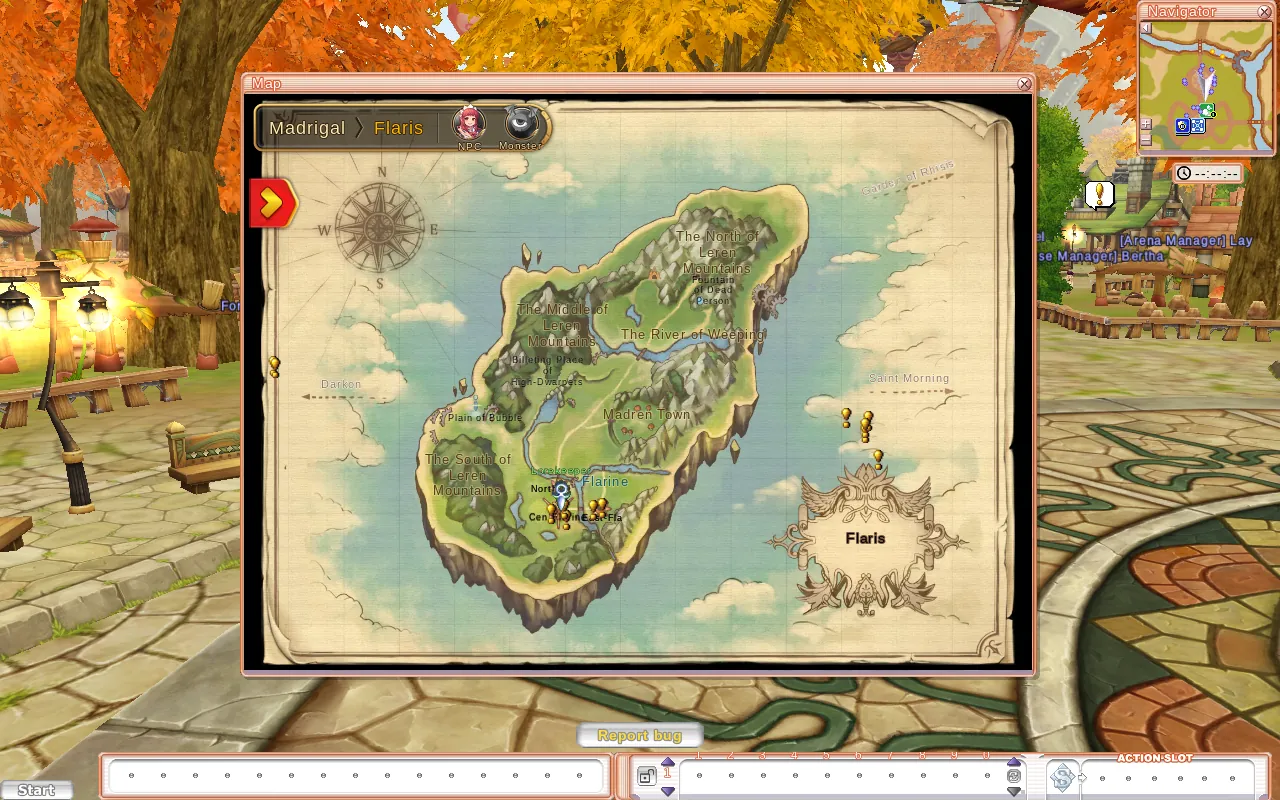
The Navigator (N) in the top right is your minimap. Right-click it to list nearby NPCs. Under it is a clock (server time by default; local and Madrigal time can be turned on from its menu).
Teleporters
The town teleporters use one shared list of about 50 destinations. Each destination has a level requirement, and ones above your level are greyed out.
| Destination | Level |
|---|---|
| Flarine, Saint City, Flaris Pang, Madren Town, Plain of Bubble | 1 |
| Darken, Mars Dungeon | 15 |
| Iblis Temple | 30 |
| Dekane Mine | 60 |
| Azria | 90 |
| Coral Island, Traseia | 110 |
| Eillun | 120 |
| Dark Traseia | 125 |
| Kalgas Cave | 135 |
You'll find teleporters in Flarine, Saint City, Darken, the Village of Kan and Eillun, as well as on Azria and Coral Island.
Blinkwings
The Original's Blinkwings still work (Flaris, Saint Morning, Darkon, Town Blinkwing). Aerlore adds Blinkwings for Darkon 3 (level 60), Azria (90), Coral Island (110) and Eillun (130), sold at the magic shops. As in the Original, Blinkwings and Return don't work inside Azria.
Finding things
- Quest goals: click a goal in the Quest Goal tracker to show it on the map, or turn on the Quest Objective Arrow in Options → Extras.
- Player shops: in Search Shop (U), click a result and choose Show Location. The map opens at that shop and an arrow points you there. See Trading, Shops & Vendors.
- Map marks on the Navigator: turn on Map Marks on Navigator in Options → Extras to see your own marks on the minimap.