

Trading, Shops & Vendors
Player trades, NPC shops, your own private shop, Search Shop with "Show Location", and mail.
Trading with a player
Right-click (or Alt+click) a player and choose Trade. You can each put in up to 25 items plus Penya. Both of you confirm twice before anything changes hands.
You can't trade equipped items, quest items or bound items. Item Shop items can be traded. They aren't soul-linked in Aerlore.
NPC shops
NPC shops use the Original's prices. Two shop tricks Aerlore adds:
- Quick Sell: sell a whole group of items (Common, Uncommon & lower, Food, Potions…) in one click. Quest, bound, timed, equipped and fashion items are always skipped. See Inventory.
- Buy Back: undo a sale you regret.
Aerlore Coins can't be sold to NPCs. See Aerlore Coin for the coin merchants.
Your own shop
Open Start → Private Shop to sell to other players while you stand in town.
- Drag items from your bag into the shop slots (up to 30 items).
- In Sell Item Registration, set the quantity and price per item. You can type the price on your keyboard (main row or numpad).
+ - * /work like a calculator, Backspace deletes a digit, Esc resets the field to 0 and Enter confirms. - Name your shop and open it.
You can't open a shop right next to an NPC, while flying, trading or duelling, or in the arena or Guild War world. While your shop is open, other players' buffs can't target you.
To buy from someone's shop, just click the shop owner.
Aerlore vs the Original: the Original's Market world and Merchant's Permit are gone. Shops go up in normal towns.
Search Shop
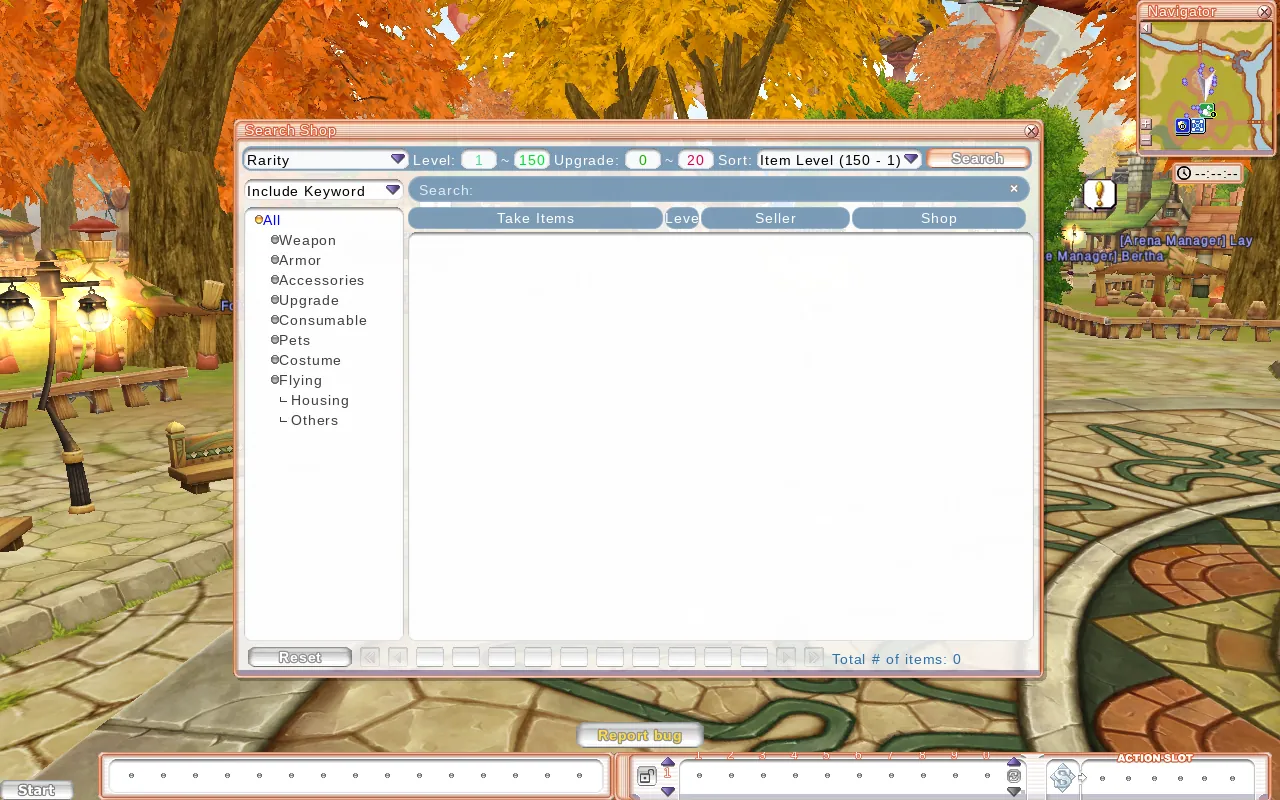
Search Shop (key U, or Start → Search Shop) searches every open player shop.
- Filter by rarity, level (1-150), upgrade level (0-20) and category, plus a keyword (Include or Exact). Sort the results however you like.
- Results show the item, its level, the seller and the shop name, 10 per page.
- Click a result for Show Location (opens the world map at the shop and points an arrow to it) or Message Seller.
You still have to walk to the shop to buy. There's no teleport option. You can search about once a second.
Use a Post Box (there's one on Flarine's square next to Julia). Postage is 500 Penya. You can attach one item and some Penya. Your inbox holds up to 50 letters, and mail is kept for 15 days. Bound, quest and equipped items can't be posted.